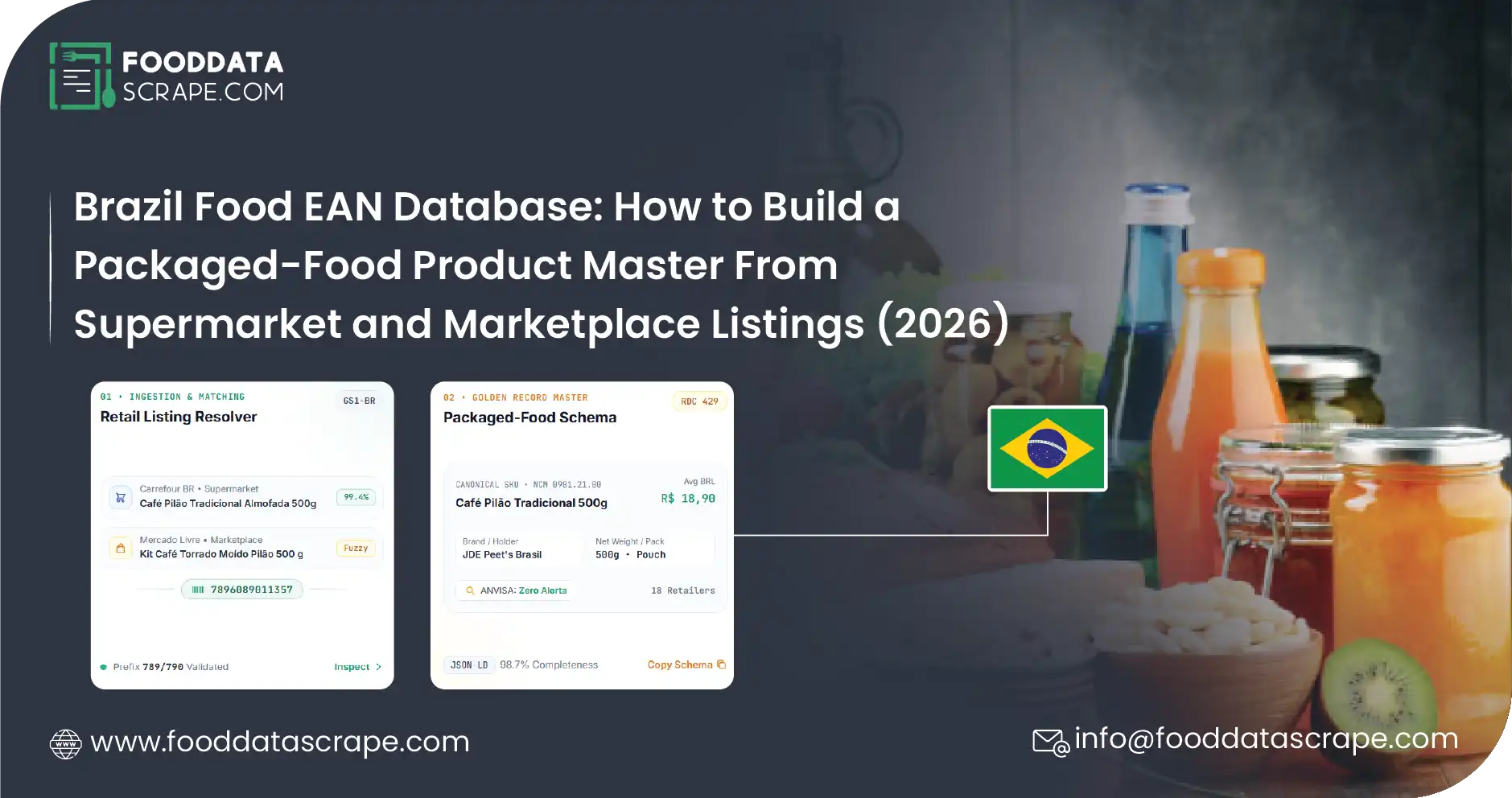
Introduction
A Brazil food EAN database is a product master for packaged food and drinks, keyed by the EAN-13 (GTIN-13) barcode. Each row links one barcode to its Portuguese product name, brand, pack size, category, price and ANVISA label data. You build it from public supermarket, quick-commerce and marketplace listings, then match everything on the barcode.
The barcode is the one field that stays the same when the same biscuit appears on Carrefour Brasil, iFood Mercado and Mercado Livre with three different names. That makes it the natural join key for price comparison, assortment tracking and nutrition apps.
This guide explains which Brazilian sources carry EAN data, which fields to capture, how to clean Portuguese names and units, how to handle ANVISA front-of-pack warnings and allergen statements, and what to keep in mind on compliance. It is written for CPG brands, grocery start-ups, price-comparison apps and retail-tech teams.
Why does a Brazil food EAN database matter, and who uses it?
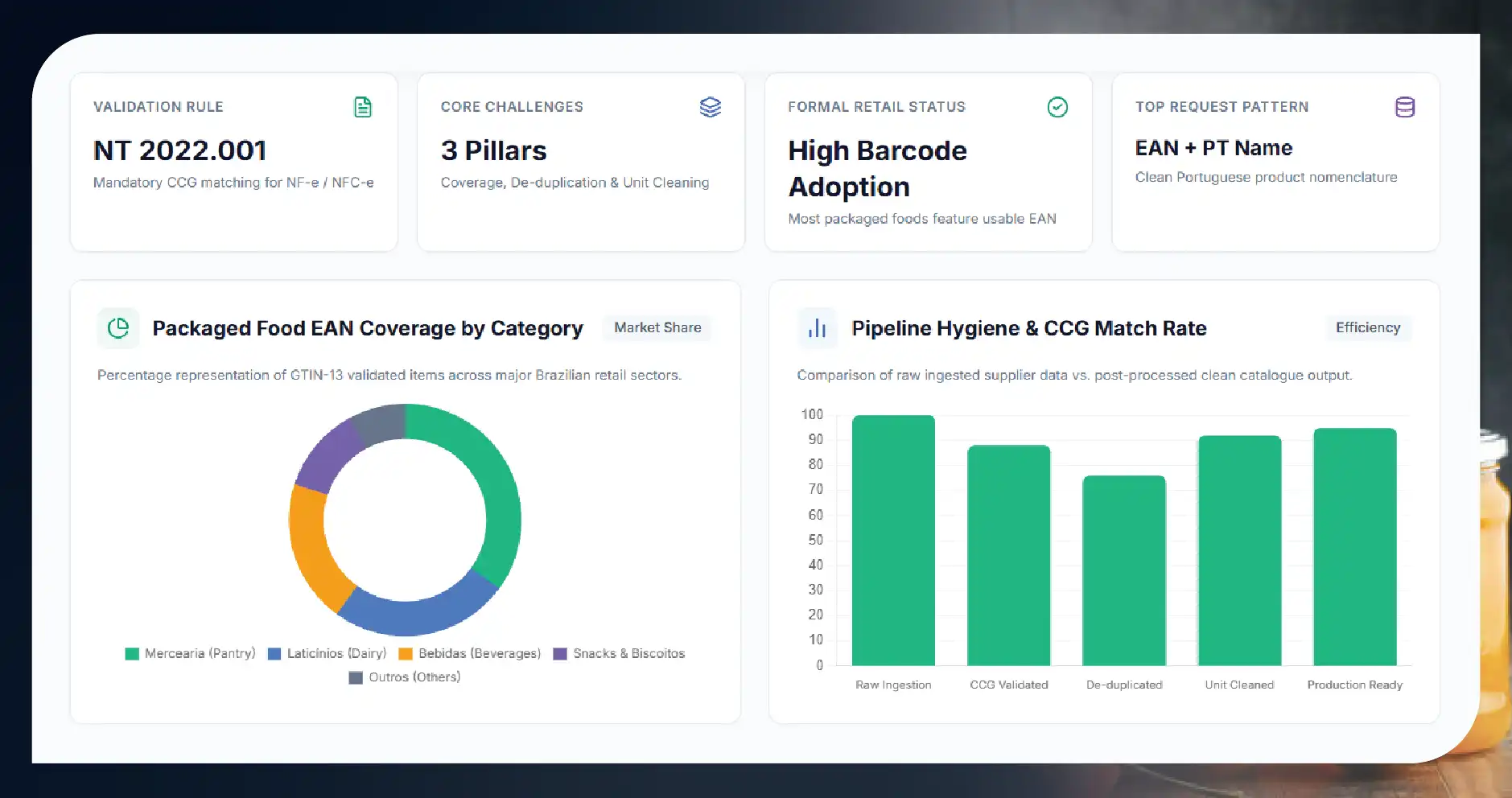
Brazilian retailers rely heavily on the GTIN. Electronic invoices (NF-e and NFC-e) carry barcode fields, and authorising systems validate those fields against the Cadastro Centralizado de GTIN (CCG). Invoices that do not match the CCG can be rejected, according to a summary of Nota Técnica 2022.001. So most packaged food sold in formal retail already has a usable barcode, and online catalogues often show it.
Common users of Brazil product barcode data:
- CPG brands that check how their SKUs, pack sizes and prices appear across retailers and regions.
- Grocery and quick-commerce start-ups that need a clean catalogue (names, images, units) before launch.
- Price-comparison apps that must recognise the same product across many stores.
- Nutrition and health apps that want barcode scanning with ANVISA nutrition tables and allergen flags.
- Retail-tech and analytics teams that feed assortment, pricing or demand models.
A recurring request type we see is simple on the surface: "give me the EAN and the Portuguese product name for these packaged foods." In practice, the hard part is coverage, de-duplication and unit cleaning, which this guide covers.
Where does Brazil product barcode data come from? The sources that matter
No single public site lists every Brazilian food barcode. A good EAN database Brazil teams can trust combines several source types. The table below compares them. Always check each site's robots.txt and terms before collecting.
| Source type | Examples | EAN visibility | Strengths | Watch-outs |
|---|---|---|---|---|
| Supermarket e-commerce | Carrefour Brasil, Pão de Açúcar, Atacadão, regional chains such as Zona Sul or St Marche (check which run public online stores in your cities) | Often in product specs or page data; varies by retailer | Deep packaged-food range, category trees, promo prices | Prices and stock vary by store or CEP (postcode); some ranges are city-specific |
| Quick-commerce and delivery | iFood Mercado, Rappi market partners | Sometimes shown; often only name and image | Fast-moving SKUs, local availability, delivery-zone pricing | Catalogue depends on the partner store and address |
| Marketplaces (food categories only) | Mercado Livre supermarket and food listings, Amazon.com.br food and beverage | Seller-entered; frequently present, sometimes wrong | Long tail of brands and imports, multipacks | Duplicate listings, kits and combos, inconsistent titles |
| Brand and manufacturer sites | Public product pages of food brands | Rarely shown | Official names, ingredients, label images | Patchy coverage, no prices |
Many Brazilian retail storefronts run on commerce platforms such as VTEX. Carrefour Brasil, for example, moved its online store to VTEX in 2020, as reported by Baguete. Storefronts built on the same platform often share a similar product data layout, which makes extraction more consistent. Even so, each retailer configures its own fields, so treat every source as its own mapping job.
For delivery-app catalogues, our pages on the iFood Brazil quick-commerce dataset and the Rappi grocery delivery dataset describe what those platforms expose.
The 10 data fields every Brazil food EAN database needs
- EAN-13 / GTIN. Store it as text, never as a number, so leading zeros survive. Validate the check digit. Codes assigned by GS1 Brasil start with the prefix range 789–790, as listed in the GS1 Company Prefix table. GS1 states that a prefix does not identify country of origin. An imported product registered by a Brazilian company can carry 789, and an imported product can carry a foreign prefix.
- Product name (Portuguese). Keep the raw retailer title and a cleaned version, for example "Biscoito Recheado Chocolate 130g".
- Brand and manufacturer. Brand is usually on the page; manufacturer may come from the label image or brand site.
- Pack size and unit. Split into a number and a unit (g, kg, ml, l, un). Add a multipack count where relevant.
- Category path. Retailer tree, such as "Mercearia > Biscoitos > Recheados", plus your own normalised taxonomy.
- Price and promo price (R$). Regular price, promotional price, "leve 3 pague 2"-style mechanics as text, and the store or CEP the price applies to.
- Nutrition table. ANVISA rules require values per 100 g or 100 ml, plus servings per pack (details in the next section).
- Front-of-pack "alto em" flags. Three booleans: added sugar, saturated fat, sodium.
- Ingredients and allergens. The ingredient list and the "ALÉRGICOS: CONTÉM…" or "PODE CONTER…" statement as text, plus parsed allergen tags.
- Image URL and source URL. Product image link, page URL, retailer name and collection timestamp, so every value is traceable.
How do ANVISA labelling rules shape the data?
Brazil changed its packaged-food labels under ANVISA's RDC 429/2020 and IN 75/2020. The rules apply to new products launched from 9 October 2022, with later deadlines for products already on the market: 9 October 2023 for most foods, 2024 for family-farm and artisanal producers, and 2025 for non-alcoholic drinks in returnable packaging, according to ANVISA.
For a data team, three changes matter most, per ANVISA's summary:
- Per 100 g / 100 ml values are now required in the nutrition table, which makes products directly comparable.
- Total and added sugars must both be declared.
- A front-of-pack magnifier symbol (lupa) flags high added sugar, saturated fat or sodium.
| Nutrient | Solids and semi-solids (per 100 g) | Liquids (per 100 ml) | Field name |
|---|---|---|---|
| Added sugar | 15 g or more | 7.5 g or more | fop_high_added_sugar |
| Saturated fat | 6 g or more | 3 g or more | fop_high_saturated_fat |
| Sodium | 600 mg or more | 300 mg or more | fop_high_sodium |
Thresholds as published by ANVISA.
Two practical tips. First, capture the lupa as shown on the page or label image, and separately compute it from the nutrition table. A mismatch is a useful quality flag, often caused by an old label image. Second, many listings show the label only as an image, so you need OCR or manual review to read it. Tag those rows so users know the value came from an image.
Allergen statements under RDC 26/2015
ANVISA's RDC 26/2015 requires allergen statements in set formats: "Alérgicos: Contém…", "Alérgicos: Contém derivados de…", "Alérgicos: Contém … e derivados" and "Alérgicos: Pode conter…" for possible cross-contamination. The rule covers 17 items, including wheat (and rye, barley and oats), crustaceans, eggs, fish, peanuts, soy, milk, several tree nuts and natural latex, according to ANVISA.
Store the full statement as raw text, then map it to two tag lists: allergens_contains and allergens_may_contain. Keep them separate. "Pode conter" is a precaution, not an ingredient.
How to collect, clean and match the data
Step 1: Define scope
Start with the categories and cities you need, for example dry grocery and beverages in São Paulo and Rio de Janeiro. Prices and assortment can change by store and CEP, so record which store or address each price came from.
Step 2: Collect from public pages
Collect product listing and detail pages at a polite rate. Respect robots.txt, site terms and rate limits. Do not log in, bypass CAPTCHAs or get around paywalls or security measures. If a page does not show the barcode publicly, do not try to force it out. Fill it from another public source instead.
Step 3: Validate the barcode
- Keep 8, 12, 13 and 14-digit codes, and pad to 13 or 14 consistently.
- Check the GTIN check digit and reject failures.
- Flag internal store codes (often short or starting with 2), which are used for weighed items such as cheese or meat sold by kg.
Step 4: Clean names and units
Portuguese titles need careful normalisation. The table shows common fixes.
| Raw value | Problem | Cleaned value |
|---|---|---|
| "Café Torrado e Moído 500 GR" | Unit written as GR | pack_size 500, unit g |
| "Refrigerante 2L" | Litre without space | pack_size 2, unit l (2000 ml) |
| "Leite UHT Integral 1 Litro" | Unit as word | pack_size 1, unit l |
| "Biscoito 3x130g" | Multipack | multipack 3, pack_size 130, unit g |
| "Açúcar Refinado 1 kg" | Accents in search keys | display name keeps accents; match key "acucar refinado 1 kg" |
| "Ovos Brancos 12 un" | Count unit | pack_size 12, unit un |
Keep accents in the display name, because Portuguese readers expect them. Create a separate accent-free, lower-case match key for searching and fuzzy matching. Convert everything to a base unit (g, ml or un) so unit prices work.
Step 5: Match and de-duplicate by EAN
- Group all listings by EAN-13. One EAN becomes one master row; each retailer listing becomes a child "offer" row with its own price and URL.
- Pick a golden record. Choose the best name, brand and image by source priority, for example supermarket over marketplace.
- Handle conflicts. If two different products share an EAN (often a seller error on a marketplace), flag the row for review instead of merging.
- Fuzzy match the gaps. For listings with no barcode, match on brand + cleaned name + pack size, and mark them as "matched without EAN" with a confidence score.
Step 6: Refresh and deliver
Prices and promos move weekly or faster. Labels change more slowly. A common pattern is a weekly price refresh, a monthly catalogue refresh, and delivery as CSV, JSON, API or a warehouse table. Our grocery product list scraping page covers barcode-plus-price feeds.
Use cases by buyer type
- CPG brand teams: track how each EAN is named, priced and promoted per retailer, and spot listings with wrong pack sizes or old labels.
- Grocery start-ups: seed a launch catalogue with clean names, images and units, then replace with supplier data over time.
- Price-comparison apps: use EAN as the join key and normalised unit prices (R$ per kg or per litre) for fair comparisons.
- Nutrition and allergy apps: combine barcode scanning with per-100 g values, lupa flags and allergen tags.
- Retail analysts: compare assortment depth by category across supermarkets, delivery apps and marketplaces.
Legal and compliance basics
Product data such as barcodes, names, prices and label text is business information, not personal data. Brazil's data protection law, the LGPD, matters when personal data is involved, for example reviewer names or seller contact details. Leave those out of a product master.
Even with non-personal data, collect responsibly:
- Use only publicly available pages.
- Follow robots.txt, terms of service and sensible rate limits.
- Never bypass logins, CAPTCHAs, paywalls or other security controls.
- Respect image rights. Store image URLs rather than redistributing images unless you have permission.
- Keep source URLs and timestamps so every value can be traced and corrected.
This is general information, not legal advice. Check with your own counsel for your use case.
Build vs buy: choosing a provider
Building in-house makes sense if you need a handful of retailers and have engineers to maintain scrapers as sites change. Buying makes sense when you need many sources, regular refreshes and a cleaned, matched output.
When you evaluate a provider, ask:
- Which Brazilian sources are covered, and at what store or CEP level?
- How are EANs validated, and how are conflicts flagged?
- Are nutrition and allergen values read from text or from label images?
- What refresh schedule and delivery formats are available?
- Can they share a free sample for your categories before you commit?
Food Data Scrape's Brazil and Mexico food data page lists the regional platforms we work with, and our product barcode and UPC dataset page explains our barcode data in general. Coverage per category and city.
Get a free sample dataset. Tell us your categories, cities and retailers, and we will send a sample Brazil EAN product master with names, pack sizes, prices and ANVISA label fields.
Questions
Frequently Asked Questions
It is a product master for packaged food and drinks sold in Brazil, keyed by the EAN-13 barcode. Each record links the barcode to the Portuguese name, brand, pack size, category, price, nutrition table, front-of-pack warnings, allergens and image.
No. The 789–790 range is assigned by GS1 Brasil, but GS1 says prefixes do not identify country of origin. An imported product registered by a Brazilian company can carry a 789 code.
Often, yes. Some retailers show the nutrition table and ingredients as text; others show only a label image. Image-only labels need OCR or manual review, and those rows should be flagged.
They are front-of-pack magnifier symbols for high added sugar, saturated fat or sodium, required under RDC 429/2020 and IN 75/2020. For solids, the thresholds are 15 g added sugar, 6 g saturated fat and 600 mg sodium per 100 g.
LGPD covers personal data. Barcodes, prices and label text are not personal data. You should still use only public pages, respect site terms and robots.txt, and avoid collecting reviewer or seller personal details.
Prices and promotions change often, so weekly or more frequent refreshes suit price use cases. Names, labels and images change less often, so a monthly catalogue refresh is usually enough.
Get a Free Food Data Sample in 48 Hours.
Tell us your platforms, target markets and required fields — we'll map exactly what's possible with food data scraping, recommend the right approach, and send a working sample so you can verify quality before any commitment.