Introduction
Menu modifier data is the structured record of every choice attached to a menu item: sizes, add-ons, sides, sauces and combo upgrades, plus their price changes and selection rules. Without it, a menu dataset only shows base prices, which often understate what customers actually pay once required choices and popular extras are added.
That gap matters on delivery apps. PYMNTS research found consumers spent $36.20 per delivery order on average at the start of 2023, about 25% more than the $28.90 average in-restaurant sale. Part of every delivery basket is built from modifiers, yet most menu feeds flatten or drop them.
This guide explains how modifier trees work, how they differ across Uber Eats, DoorDash, Just Eat, Deliveroo and SkipTheDishes, a normalised data model you can load into a database, and how to use the data for pricing and upsell analysis.
Why base price misses the real ticket
A burger listed at £8.99 is rarely sold at £8.99. The customer may have to pick a size, can add cheese or bacon, and may be offered a meal upgrade with fries and a drink. Each of these is a modifier.
- Sizes: small, regular and large, each with its own price change.
- Required groups: choices the customer must make before ordering, such as a bread type or a drink flavour.
- Optional groups: extras the customer may add, such as toppings or dips.
- Min and max selections: rules like "pick 1 sauce" or "choose up to 3 toppings".
- Upcharges: the price delta for each option, from free to several pounds or dollars.
- Combos and meal deals: bundles priced differently from the sum of their parts.
POS systems store these rules explicitly. Toast's menu model, for example, gives each modifier group minSelections, maxSelections and a required mode, and lets a group be priced per option or at group level (Toast ModifierGroup). Square's catalogue uses modifier lists with min and max selected modifiers and options that can be on by default (Square Developer). Delivery apps display the same logic to customers, so the rules are visible on public menu pages.
A simple worked example
Illustrative only, not real menu data: a burger at £8.99 has a required size group (regular +£0.00, large +£1.50), an optional add-ons group (cheese +£0.80, bacon +£1.20, max 3) and a meal upgrade (+£3.50 for fries and a drink). The cheapest valid order is £8.99. A typical large meal with bacon is £15.19. Base-price-only data misses that 69% gap.
How modifier trees look on the major delivery apps
Every app shows the same basic idea, an item with groups of options, but limits and naming differ. One useful public signal is how many levels of nested options each platform supports. Menu-management provider Otter lists these limits for the platforms it publishes to (Otter help centre).
| Platform | Main markets | How options appear to customers | Nested option levels (per Otter) |
|---|---|---|---|
| Uber Eats | US, UK, Canada, many others | Item page with required and optional groups; modifier groups can reuse items | Up to 6 |
| DoorDash | US, Canada, others | Item page with required choices and optional extras | Up to 6 |
| Just Eat | UK and Europe | Option groups shown when adding the item | Up to 3 |
| Deliveroo | UK, Europe, Middle East | Option groups and add-ons on the item page | Up to 2 |
| SkipTheDishes | Canada | Option groups on the item page | Up to 1 |
Uber Eats' own merchant documentation describes menus built from menus, categories, items and modifier groups, where modifier groups bundle items as customisation options under a parent item (Uber Eats Menu Integration Guide). Those official APIs are for restaurants managing their own menus. For competitor menus, teams rely on what the public menu page shows.
Nesting depth matters for data design. If a chain publishes a three-level tree on Uber Eats but a flat list on SkipTheDishes, the same item will look different in each feed. Your model must store the tree, not just a list.
A normalised data model for menu modifier data
The cleanest way to store modifiers is one row per option, linked to its group and its parent item. This keeps rules and prices queryable across platforms.
| Field | Description | Example |
|---|---|---|
| item_id | Platform item ID or a stable hash of store + item name | bk_0412_whopper |
| modifier_group_id | ID of the option group within the item | grp_size |
| group_name | Group label as shown to customers | Choose your size |
| parent_option_id | Option that opens this group (nested trees); blank at top level | opt_meal |
| min_select | Minimum choices; 1 or more means required | 1 |
| max_select | Maximum choices; blank if no limit | 1 |
| option_name | Option label | Large |
| option_price_delta | Price change vs the base item, local currency | 1.50 |
| default | Whether the option is pre-selected | false |
| availability | Shown, sold out or hidden at capture time | available |
| platform, store_id, captured_at | Source context for every row | ubereats, 12345, 2026-10-21T12:00Z |
With this structure, you can rebuild the full tree for any item, calculate the cheapest valid configuration (sum of required minimum choices) and compare the same option across platforms.
How to collect and clean modifier data
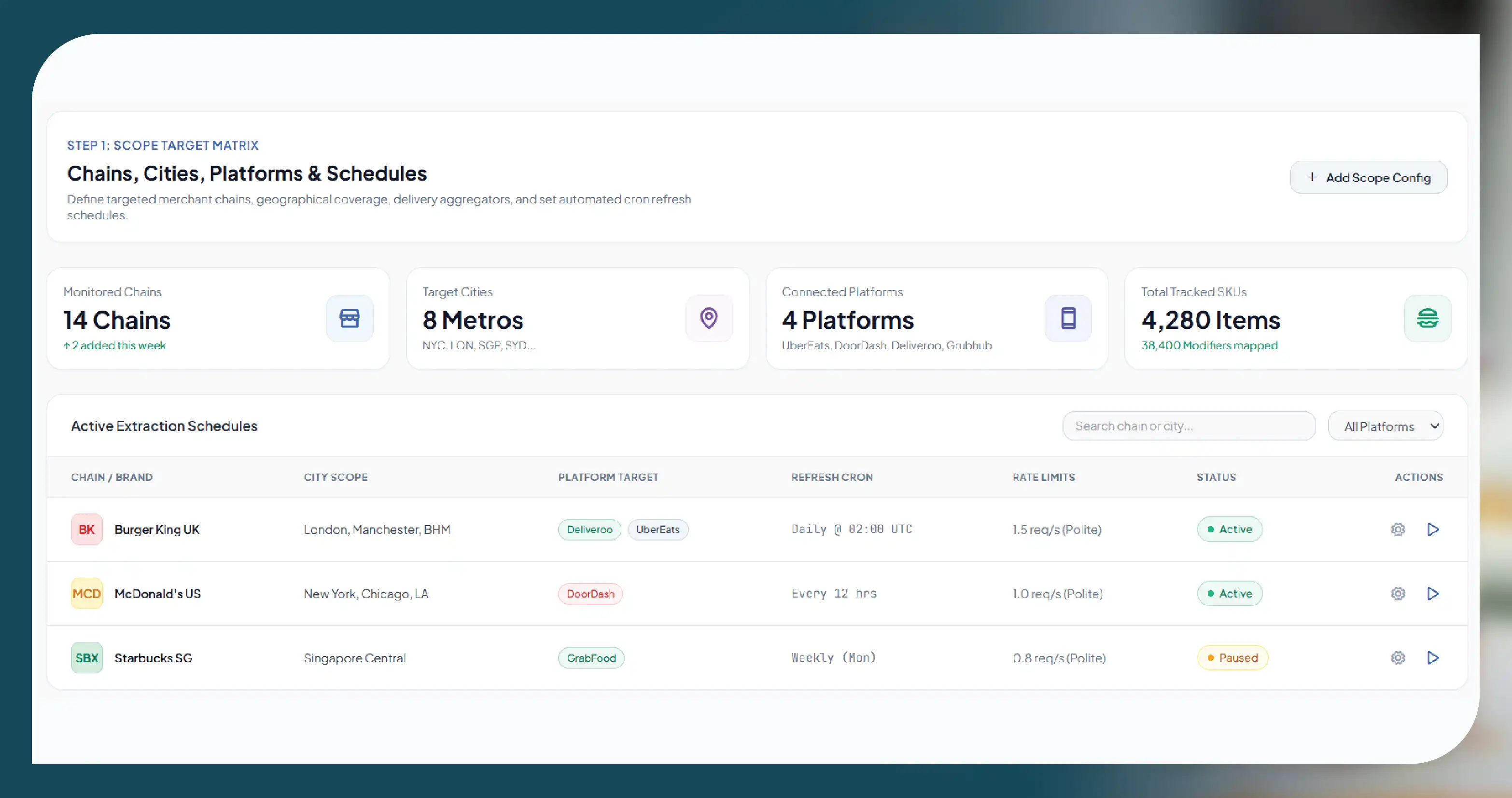
- Pick stores and items. Start with a defined list: chains, cities, platforms and a refresh schedule.
- Capture public menu pages. Collect what any customer sees on the item page, at polite rates, within each platform's terms; never bypass logins or protections.
- Keep the tree. Store group, option and parent links exactly as displayed, including nested levels.
- Normalise labels. Map variants such as "Lge", "Large" and "L" to one size code, and tag option types (size, protein, side, drink, sauce).
- Validate rules. Check min ≤ max, at least one option per required group, and price deltas in the right currency.
- Track changes. Compare snapshots to spot new upcharges, removed options or changed defaults.
Quality checks that catch most errors
- Orphan groups: a nested group whose parent option no longer exists.
- Price drift by platform: the same option priced differently on two apps – often real, but worth flagging.
- Zero-price required groups: confirm these are genuine free choices, not missing prices.
- Duplicated groups: the same group attached twice to an item after a menu update.
- Sold-out options: keep them with an availability flag instead of deleting them.
Analysis use cases for menu modifier data
| Use case | Question it answers | Fields used |
|---|---|---|
| True menu price | What does a realistic order cost, not just the base item? | min_select, option_price_delta, default |
| Upsell benchmarking | How much do rivals charge for cheese, bacon or extra protein? | option_name, option_price_delta |
| Combo vs à la carte | Is the meal deal really cheaper than buying parts separately? | group_name, option_price_delta, item prices |
| Platform price parity | Are add-ons marked up more on one app than another? | platform, option_price_delta |
| Nutrition and allergen variants | Which options change calories or add allergens? | option_name, linked nutrition/allergen data |
| Menu engineering | How many choices do rivals offer, and how many are required? | min_select, max_select, group counts |
Toast notes that modifier groups can be free, priced per option or priced as a group (Toast pricing strategies). Seeing which approach competitors use, for example free sauces but paid proteins, is often as useful as the price itself.
- UK menu export: Just Eat UK menus captured with every option group, delivered as one row per option so analysts can compare upcharges.
- Catalogue with options: a liquor-store catalogue on DoorDash and SkipTheDishes where product options and sizes must sit alongside prices.
- US/UK menu feeds: restaurant groups add modifier rows to existing menu price feeds to benchmark add-on pricing across competitors.
Legal and compliance basics
- Public menu data only: item names, options and prices that any customer can see. No customer accounts, orders or personal data.
- No order volumes: restaurant sales and order counts are not public; we offer labelled proxies such as rating counts or bestseller badges instead.
- Respect platform terms: each platform's terms of service, robots.txt and rate limits are checked per project; we do not bypass logins, CAPTCHAs or other protections.
- No reverse engineering: this guide describes what is visible on menu pages, not how to access private systems.
- Own-menu data: if you run the restaurant, your POS or the platform's official merchant API is the right source for your own menu.
Build vs buy: choosing a menu modifier data provider
Capturing base prices is simple. Capturing menu modifier data at scale is harder: trees change often, nesting varies by platform and labels are inconsistent. Ask a provider to show:
- A sample tree: one item with all groups, rules and price deltas for your chosen platform.
- The schema: whether they store parent links and min/max rules, or just a flat add-on list.
- Cross-platform matching: how the same item and option are matched across apps.
- Refresh and change logs: how often menus are re-captured and how changes are reported.
- Coverage: ask which platforms and countries a provider can support, and how coverage is scoped per project.
Get a free sample dataset. Send us a list of chains, cities and delivery apps, and we will return a sample with full modifier groups, rules and add-on prices.
Questions
Frequently Asked Questions
A modifier is a choice attached to a menu item, such as size, extra cheese or a side. Modifiers sit in groups with rules for how many options can be chosen.
A required group must have at least one selection before the item can be ordered. An optional group can be skipped.
They are follow-up groups that appear after a specific option is chosen, such as choosing a drink flavour after picking a meal upgrade.
Public menu pages show options and price changes, so add-on prices can be captured within each platform's terms. Restaurant sales volumes are not public.
As one row per option with item, group, rule and price fields, in CSV, JSON or a database table. This keeps trees intact and easy to query.
Get a Free Food Data Sample in 48 Hours.
Tell us your platforms, target markets and required fields — we'll map exactly what's possible with food data scraping, recommend the right approach, and send a working sample so you can verify quality before any commitment.
Request a strategy call
Thanks — our data team will reach out within 48 hours with your sample.